How to make a Roblox game icon: what 907 chart games do
Updated 8 November 2026 · By ClipClip
The short answer
Make it a square of at least 512×512 pixels and check it at 150×150, the size Roblox's Charts and Continue rows show it. What the chart games' icons do: one big subject, often a face with one emotion, and few or no words. Upload it in the Creator Dashboard: your game, Configurations, Places, the start place, Icon.
Where your icon shows
- On Roblox's Charts (every tile: Top Trending, Up-and-Coming…), in Home's Continue and Favorites rows, and on friends' activity and profiles: 150×150 on a computer, smaller in the phone app (what we measured on roblox.com on 6 November 2026).
- Not in Home's Recommended For You or in Search: they show your wide thumbnail (its size).
- So the icon sells your game to people who see it climb the Charts, and brings players back from Continue.
- Roblox asks for a square of at least 512×512, checked at small sizes. One icon per language, and every icon is moderated before others see it. A new game starts with a default icon Roblox picks: replace it.
What 907 chart icons show
On 6 November 2026 we read the icon of every game on every chart Roblox lists, all countries and devices: 907 icons.
| Busiest quarter (median 13,869 playing) | Quietest quarter (median 73) | |
|---|---|---|
| A face with one big emotion | 51% | 35% |
| The bacon or the noob | 29% | 9% |
| One subject fills over half | 76% | 67% |
| No words at all | 41% | 25% |
| The game's name on it | 34% | 59% |
Charts list the games that are winning, so these are patterns, not proof: a quiet game can have a fine icon. But the gaps line up with what reads at 150 pixels.
The recipe, rule by rule
- One subject, big, often cut by the edge. 75% fill over half the square with it, and 44% let it run off the edge, as a close-up does. Three characters or more are rare (11%): at 150 pixels they turn to noise.
- A face with one emotion. 64% show a face, 47% with one big emotion: scared, shocked, smug, angry. That's 51% of the busiest quarter against 35% of the quietest.
- Make the player the bacon or the noob, doing what players do in your game: 29% of the busiest quarter, 9% of the quietest, and 36% of Up-and-Coming's 98.
- Skip your name, unless it says what you do. It's on 53% of 2020–2024's 40 biggest games, but 23% of 2026's 40 biggest new ones and 22% of Up-and-Coming's. A name nobody knows yet says nothing at 150 pixels and covers the picture.
- A simple bit of your game's world behind. 77% keep a scene (the sky, a field, a room) where only 12% use a flat color or a gradient.
- Bright and colorful, unless your genre is dark. 24% are dark, most often in survival, action, shooter and RPG games (by genre, below).
- A badge for an update. 12% carry one (UPDATE, NEW, an event, a version), 20% of 2026's biggest new games. Take it off once the update is old.
By genre
| Genre | Dark | A face | The name | Bacon or noob |
|---|---|---|---|---|
| Simulation (275) | 15% | 52% | 35% | 29% |
| Roleplay & Avatar Sim (71) | 28% | 83% | 59% | 7% |
| Action (71) | 41% | 70% | 48% | 11% |
| RPG (56) | 34% | 73% | 70% | 4% |
| Survival (55) | 58% | 73% | 44% | 22% |
| Party & Casual (49) | 14% | 78% | 35% | 33% |
| Sports & Racing (48) | 17% | 75% | 31% | 23% |
| Obby & Platformer (42) | 5% | 55% | 38% | 36% |
| Shooter (42) | 36% | 55% | 36% | 17% |
| Adventure (41) | 24% | 63% | 44% | 12% |
Roblox's own genre labels, for the genres with 40 games or more on the charts that day.
How to make one
| Option | What it does | Cost |
|---|---|---|
| Roblox Studio, then an editor | Pose your game's characters, frame them close with the free camera (Left Shift + P in a solo playtest), crop it square in Photopea | Free, and your time |
| AI, from a screenshot | The prompt below, in ChatGPT or Gemini | Your AI plan |
| An artist | Draws it for you | Varies |
| ClipClip (ours) | Plans 1 to 3 from your own gameplay, on the rules above, and picks the one that reads best | Launching soon |
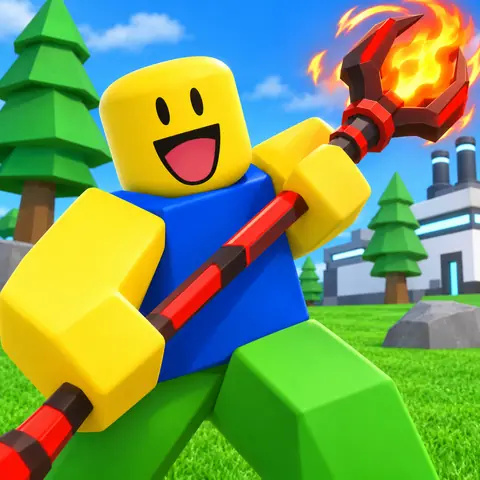
We tried this prompt on 8 November 2026 with OpenAI's image generator, the one in ChatGPT, on a screenshot of a friend's tycoon game (how we test prompts: how to make a Roblox thumbnail with AI). Change the words in brackets for your game.
Upload or change it
- Open the Creator Dashboard and click your game.
- Go to Configurations, then Places, and click the start place, marked with a star.
- Pick Icon in the place's menu.
- Set the media type to Image, click Change and choose your file.
- Check the preview and click Save Changes. Others see it once moderation approves it.
Before you upload it
- Look at it the size of a Charts tile on your phone: if you can't tell what's happening, make the subject bigger.
- Nothing important in the corners: Roblox rounds them.
- No words over the subject: let the picture do the work.
- Nobody else's characters or brands, no links or contact details: moderation can reject them.
- Only what's really in your game: Roblox recommends a game less when its art doesn't match it.
How we measured
Every game on every chart Roblox listed on 6 November 2026 (913 games, 26 charts), from Roblox's public data, each icon at 512×512: 907 read. Code measured the light and the color; an AI model (Claude Haiku) read what each icon shows. We checked 24 readings against the icons by eye: 23 were right, and the miss was the bacon in another outfit, so the bacon's share is a floor. These are the patterns of today's winners, not proof of what makes players click.
ClipClip's icon maker
We make ClipClip, so weigh this part accordingly. We built these rules into its icon maker: it reads your recorded gameplay, plans 1 to 3 icons (a big face, the action, the prize, or the name when it says what you do), draws them from your game's real frames with the bacon or the noob as the player, and picks the one that reads best at a glance. These three are what it made for a friend's steal game:
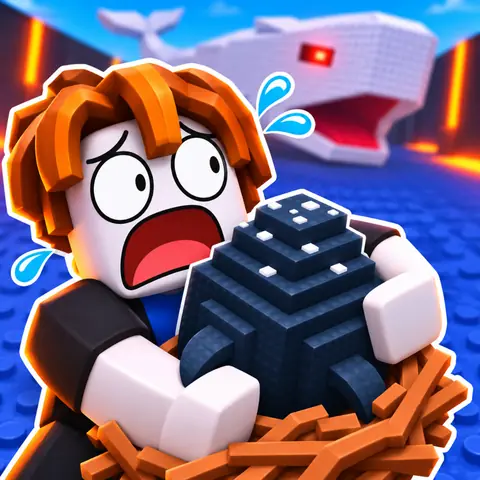
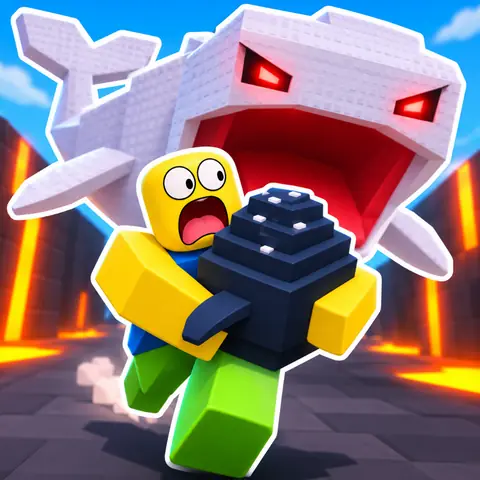
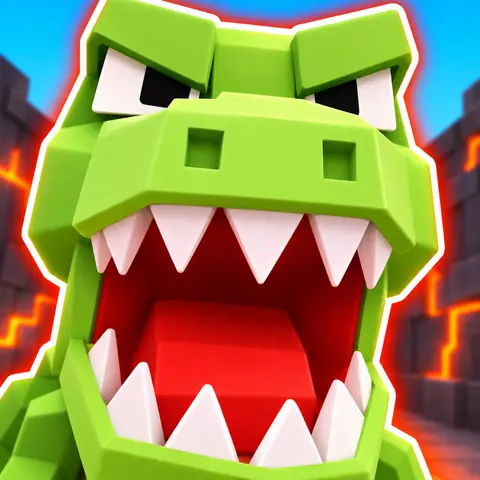
What it made for the other games: ClipClip's icon maker. ClipClip launches soon: press Notify me below to hear the day it opens.
Questions
What size is a Roblox game icon?
512×512 pixels, square: Roblox's own template. It shows at 150×150 on the Charts and in Continue, and smaller in the phone app, so check that it still reads small.
How do I change my Roblox game icon?
In the Creator Dashboard, open your game, then Configurations, Places and your start place (marked with a star). Pick Icon, set the type to Image, click Change, choose the file and Save Changes. Others see it once moderation approves it.
How do I get a game icon on Roblox?
Roblox gives a new game a default icon when you first publish it. Replace it with your own, a square of at least 512×512, under your start place's Icon in the Creator Dashboard.
Should a Roblox game icon have text?
Usually little or none: 35% of the chart games' icons have no words at all. New hits mostly skip their name: it's on 23% of 2026's 40 biggest new games, against 53% of the 2020–2024 giants, whose names already sell.
What makes a good Roblox game icon?
One big subject, often a face with one emotion; the bacon or the noob doing what players do; a simple bit of your game's world behind; few or no words. It has to read at 150×150 and show what's really in your game.
Can I make a Roblox game icon with AI?
Yes: start from a screenshot of your game and ask for a square icon, as the prompt above does. Like every icon, it's moderated, and it has to show what's really in your game.
Why isn't my new Roblox icon showing?
Every icon has to pass Roblox's moderation before anyone else sees it. If it's rejected, check it against the Community Standards: nobody else's characters or brands, no links or contact details, nothing misleading.
Sources
- ClipClip, the chart games' icons and where Roblox shows them (Roblox's public data and roblox.com, measured), measured 6 November 2026
- Roblox Creator Hub, Icons, read 8 November 2026
- Roblox Creator Hub, Thumbnails (free camera), read 8 November 2026
- Roblox Creator Hub, Manage experience icons and thumbnails, read 6 November 2026